

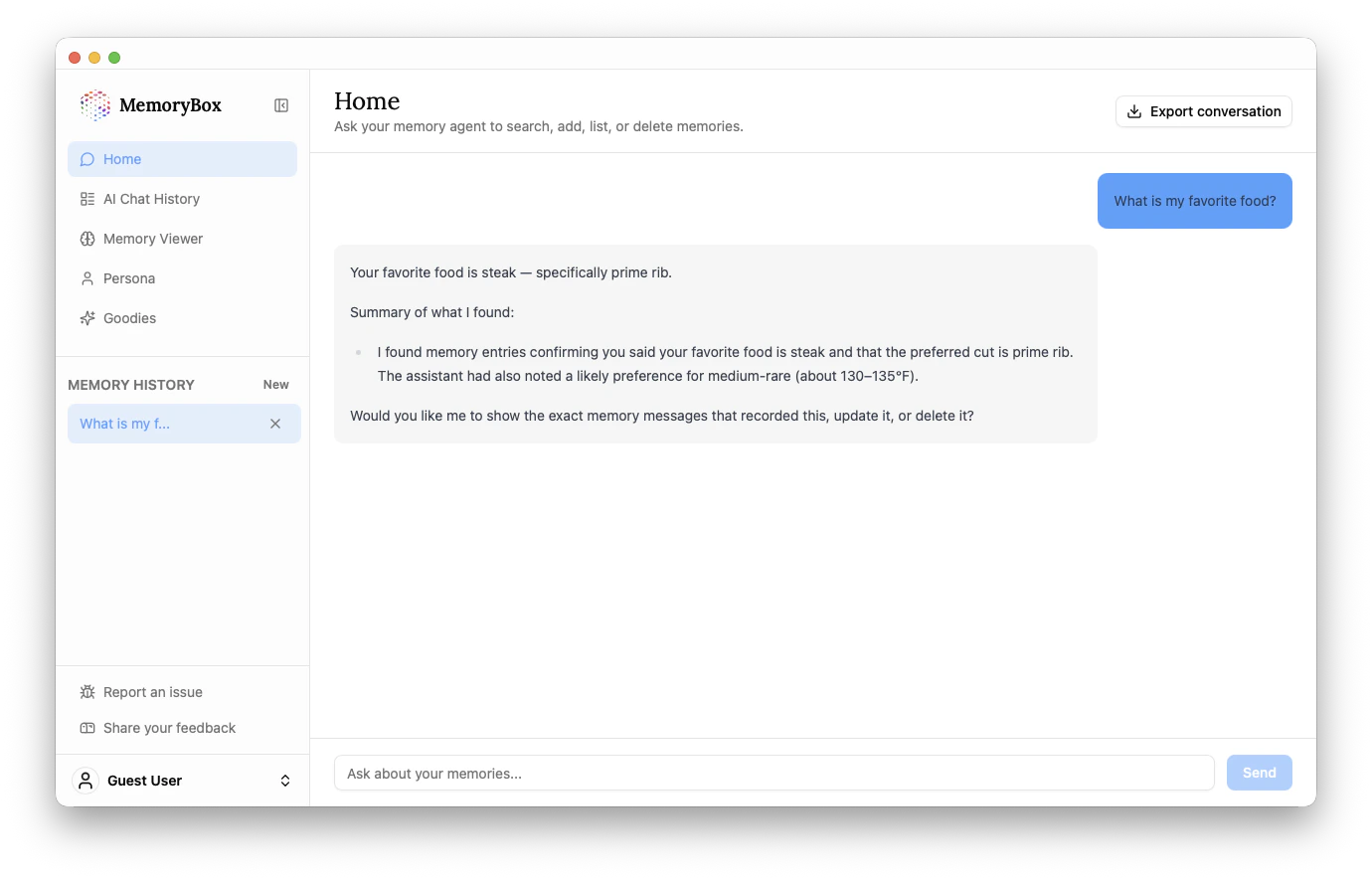
Talking to Your Memories
Instead of hunting through old chat logs, you can simply ask the Memory Agent questions about your past interactions.Common Queries
- Fact Retrieval: “What is my favorite food?” or “What was that React library I mentioned last week?”
- Summarization: “Give me a summary of my project notes from March.”
- Data Management: “List all my memories related to prime rib” or “Delete the memory about my old password.”
Key Features
1. The Memory Agent
The agent doesn’t just find text matches; it understands context. As seen in the example, it can infer specific details—like a preference for “medium-rare” (130–135°F)—even if you didn’t state it explicitly in the current thread.2. Export Conversation
In the top-right corner, you’ll find the Export conversation button. This allows you to take the current session with the Memory Agent and save it as a local file for external documentation or sharing.3. Memory History Sidebar
On the left, under the main navigation, you will see a list of your recent “Internal” conversations with the Memory Agent.- Click any entry to resume a previous search.
- Click the “X” to clear a search thread from your history.
4. Input Bar
The search bar at the bottom is your direct line to the backend.- Type your question and hit Send (or
Enter). - The agent will scan your local database and provide a summarized answer with evidence.