

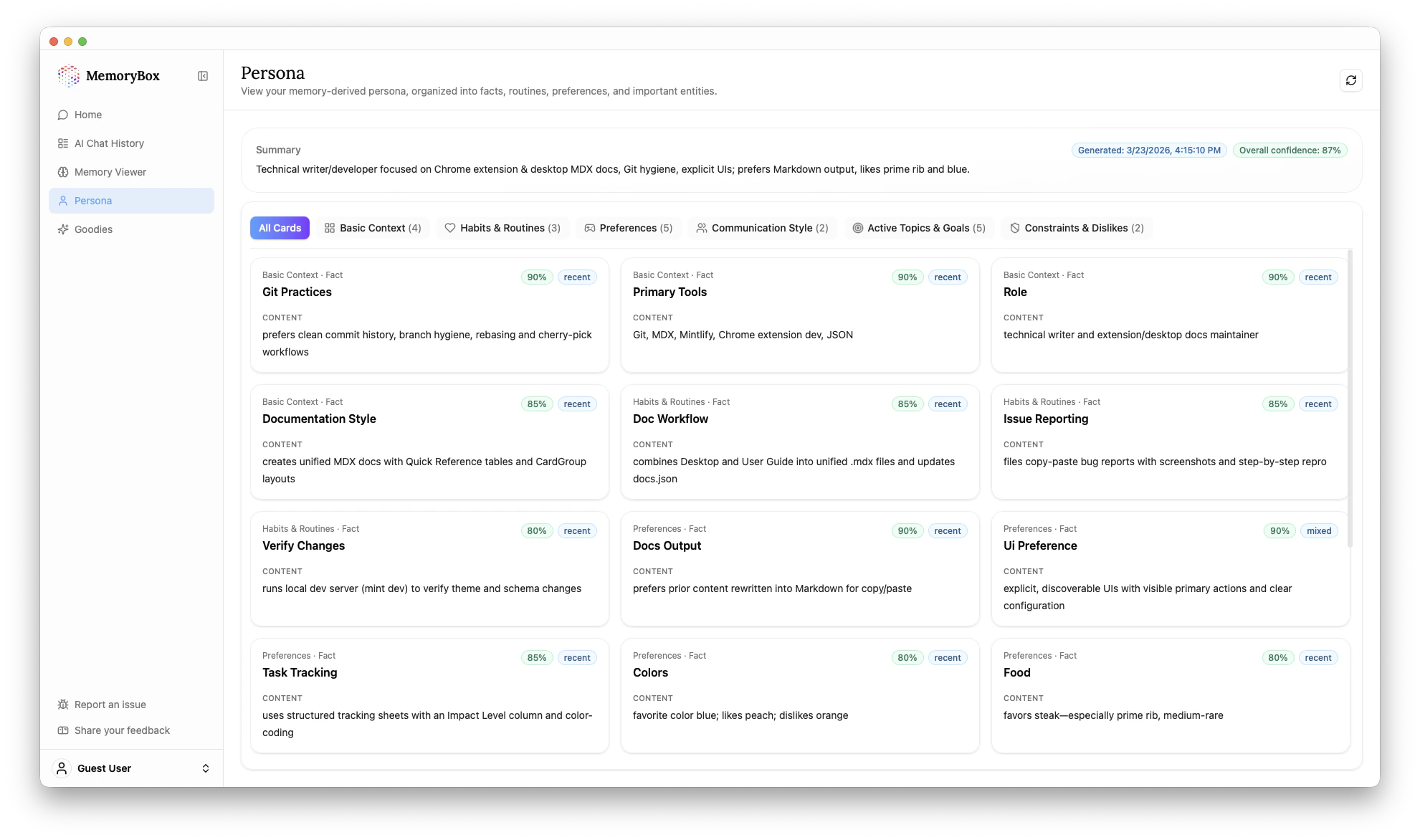
The Meta Summary
At the top of the page, the AI generates a succinct, high-level summary of your identity. As seen in the example:“Technical writer/developer focused on Chrome extension & desktop MDX docs, Git hygiene, explicit UIs, prefers Markdown output, likes prime rib and blue.”This is the baseline context the AI uses to customize its interactions with you.
Understanding Persona Cards
Your identity is broken down into specific categorized cards (e.g., Basic Context, Habits & Routines, Preferences). Each card provides three levels of depth:1. The Fact (Headline)
This is the core inference, such as “Git Practices” or “UI Preference.”2. The Content (Evidence)
This is the actual summarized evidence pulled from your memories.- Example: For “Git Practices,” the content might read: “prefers clean commit history, branch hygiene, rebasing and cherry-pick workflows.”
3. The Metadata (Confidence & Source)
This is the most critical part of the Persona logic.- Confidence Score: A percentage (e.g., 90%) indicating how certain the AI is about this inference based on the volume and clarity of the evidence.
- Source Tag: Indicates if the evidence is “recent” or “mixed” across your entire history.
Filtering your Identity
You can use the tabs above the cards to filter your profile by specific identity axes:| Tab | What it Tracks |
|---|---|
| All Cards | A complete overview of your stored persona. |
| Basic Context | Fundamental roles, tools, and styles (e.g., Role, Primary Tools). |
| Habits & Routines | Standard workflows and process documentation (e.g., Doc Workflow). |
| Preferences | Likes and dislikes, including UI preferences, colors, and food. |