
Core Application Control
The General tab handles foundational settings for the MemoryBox desktop application. Use this screen to verify your active profile, configure global keyboard shortcuts, set up network proxies, adjust privacy controls, and choose update channels.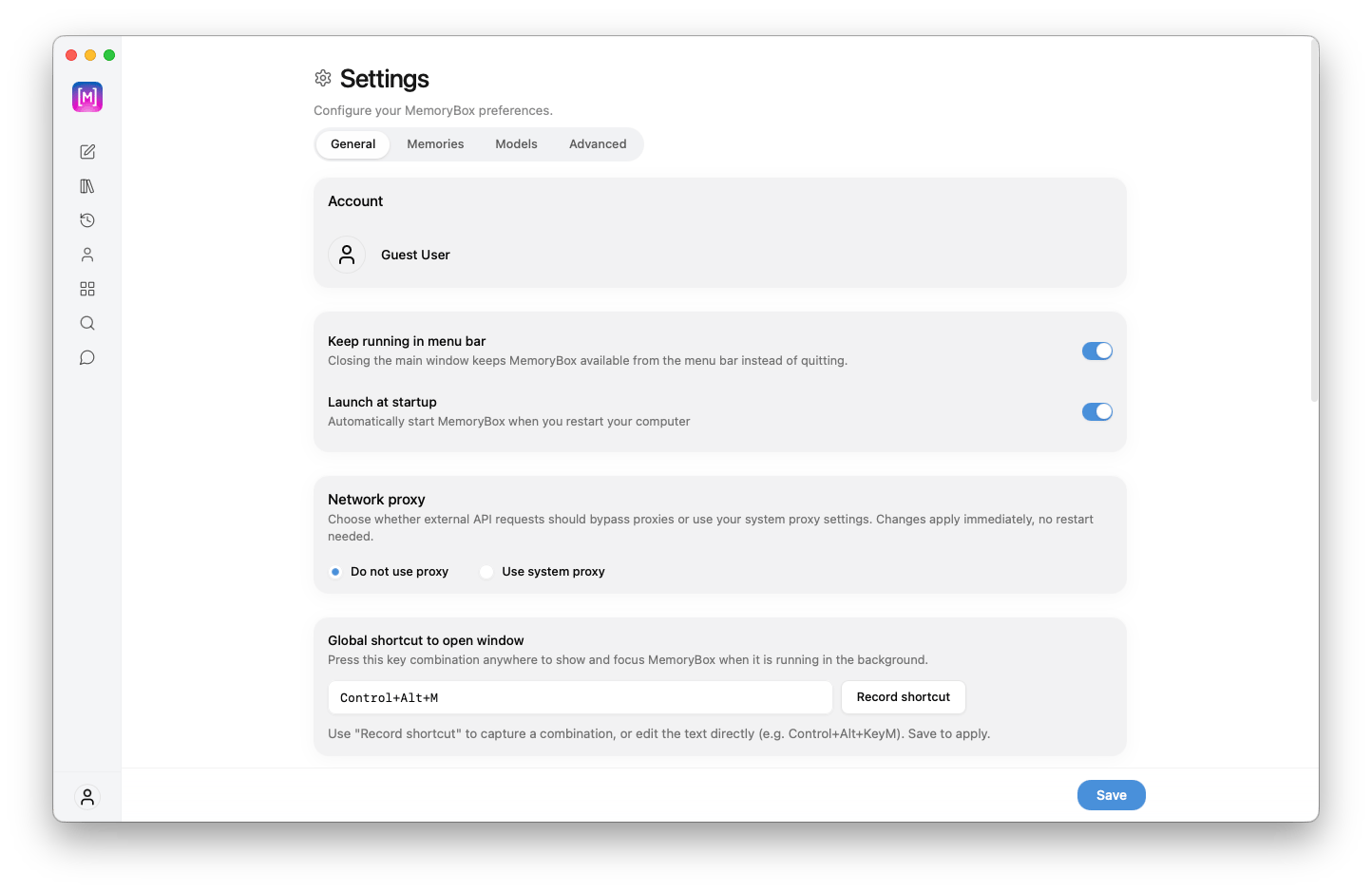
The upper section of the General Settings control panel inside the desktop dashboard interface.
🖥️ Upper Control Parameters
Profile Verification
Profile Verification
The Account section at the top of the panel displays your current local session:
- Identity Tracking: Shows your active profile (e.g.,
Guest User). Verifying this profile ensures your chat history, memory spaces, and settings save to the correct local data engine.
Application Behavior & Proxy Rules
Application Behavior & Proxy Rules
Configure how MemoryBox runs in the background and connects to the network:
Global Window Hotkeys
Global Window Hotkeys
The Global shortcut to open window setting lets you bring MemoryBox into focus from anywhere on your desktop:
- Default Shortcut: Defaults to
Control+Alt+M. - Custom Mapping: Click Record shortcut to enter a new key combination, or click directly into the text field to edit it manually (e.g.,
Control+Alt+KeyM). Click Save to apply your changes.
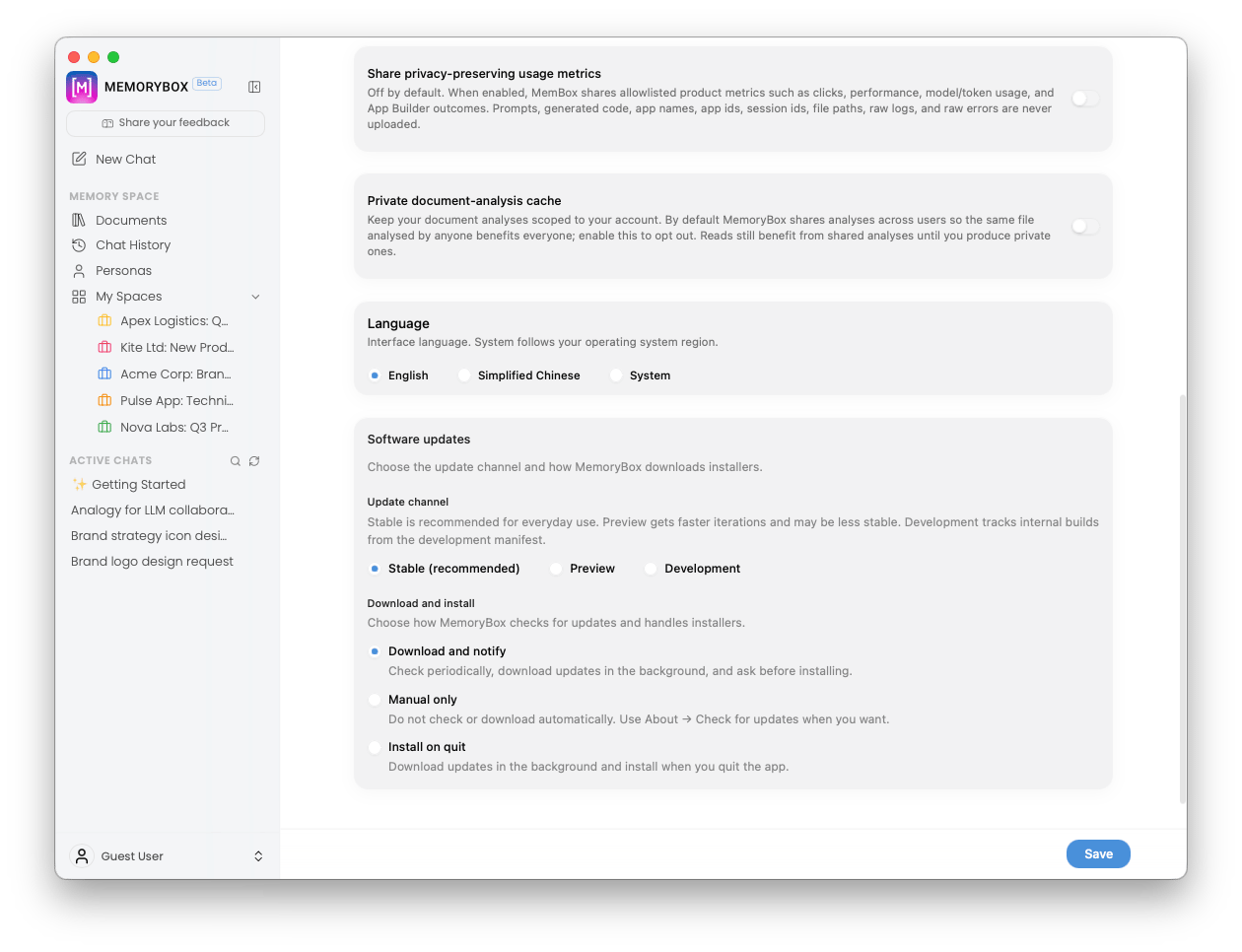
The lower section of General Settings showing telemetry preferences, language selection, update channels, and download options.
⚙️ Lower Control Parameters
Telemetry & Privacy Management
Telemetry & Privacy Management
Manage analytics, usage reporting, and document analysis caching:
Localization Settings
Localization Settings
The Language setting changes the display language throughout the application interface:
- English: Sets the UI text to standard English.
- Simplified Chinese (简体中文): Translates interface text to Simplified Chinese.
- System: Dynamically matches MemoryBox to your operating system’s native language setting.
Software Updates: Channels
Software Updates: Channels
Choose which release pipeline MemoryBox uses for software updates:
- Stable (recommended): Recommended for daily use. Receives fully tested, reliable production releases.
- Preview: Receives early feature iterations and pre-release updates faster, though builds may occasionally be less stable.
- Development: Pulls bleeding-edge internal testing builds directly from the development manifest.
Software Updates: Download and Install Options
Software Updates: Download and Install Options
Configure how MemoryBox checks for and applies software updates:
- Download and notify (Default): Automatically checks for updates and downloads them in the background, prompting you before installing.
- Manual only: Disables automatic background update checks. To check for updates manually, go to About Check for updates.
- Install on quit: Downloads updates silently in the background and applies them automatically when you exit the application.
💾 Saving Configuration Changes
Changes made in General Settings take effect after saving:- Save Changes: Click the blue Save button in the bottom-right corner of the window to write your updates to your local system configuration.
- Unsaved Changes: Switching to another settings tab (
Memories,Models,Advanced) or selecting a sidebar item before clicking Save discards your changes and restores your previous settings.