
Overview
The Models tab lets you manage gateway routing checks, toggle which AI models appear in your active chat picker, and add custom OpenAI-compatible endpoints using your own API keys.🌐 Platform Gateway
The Platform Gateway manages automatic network checks to keep your connection stable when switching networks, proxies, or VPNs.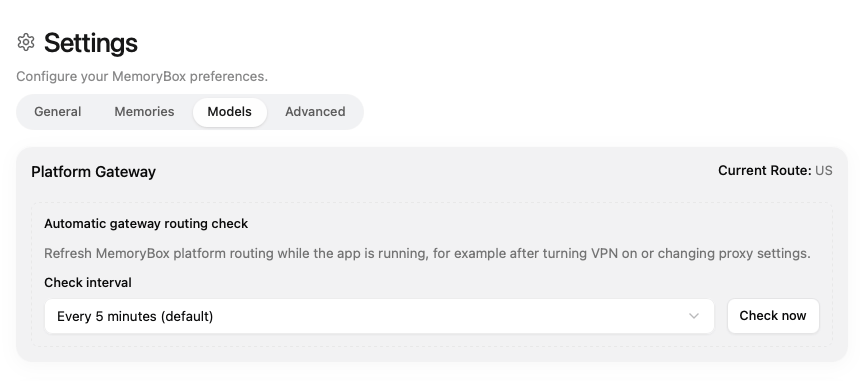
Platform Gateway controls for setting automatic routing check intervals.
- Current Route: Shows your active endpoint location (e.g.,
US). - Automatic gateway routing check: Periodically checks network routing while MemoryBox is running.
- Check interval: Sets how often routing checks run (Default: Every 5 minutes).
- Check now: Immediately runs a manual network gateway check.
🤖 Platform Models
Toggle individual models on or off to choose which ones show up in your chat model picker. Changes save instantly.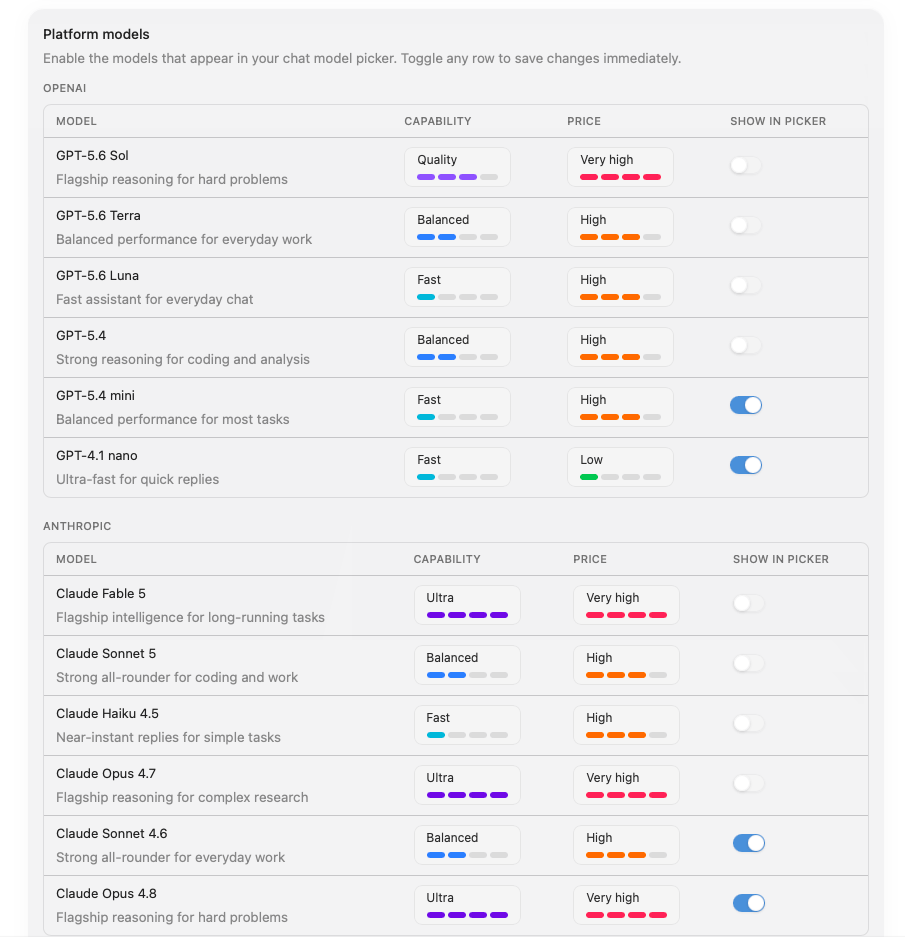
Platform models list showing available AI providers, capabilities, and pricing tiers.
Available Model Providers
OpenAI
OpenAI
Anthropic
Anthropic
Google
Doubao
Doubao
Qwen
Qwen
DeepSeek
DeepSeek
Zhipu
Zhipu
🔑 Bring Your Own Model
Connect custom models hosted on any OpenAI-compatible API endpoint using your own credentials.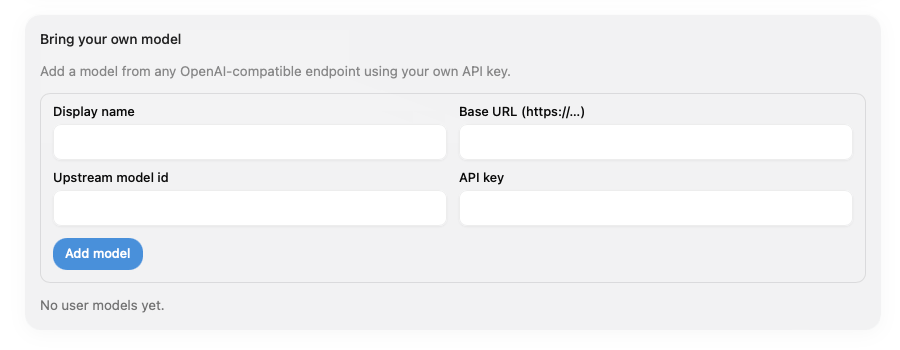
Bring your own model panel for custom API endpoints.
Configuration Fields
- Display name: Label shown in your chat model picker.
- Base URL (
https://...): Target API endpoint URL. - Upstream model id: Model string expected by your provider.
- API key: Your private API credential token.
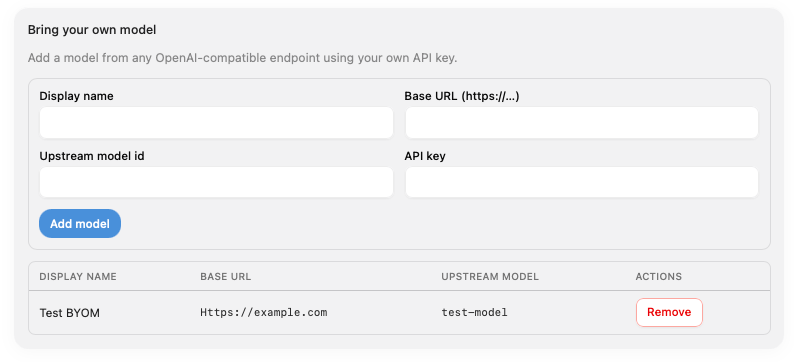
Example of a registered custom model endpoint listed in the settings panel.