
Your Workspace Hub
The Desktop App serves as the primary control center for managing your local Knowledge Base. While deep backend engine parameters are managed within the primary settings panel, the profile tray in the bottom-left corner provides instant access to account identity, interface styling, usage metrics, and support resources.👤 Fast-Access Preferences Tray
Clicking the expand/collapse carets on your user profile badge in the bottom-left corner unfolds a comprehensive system navigation and account maintenance panel.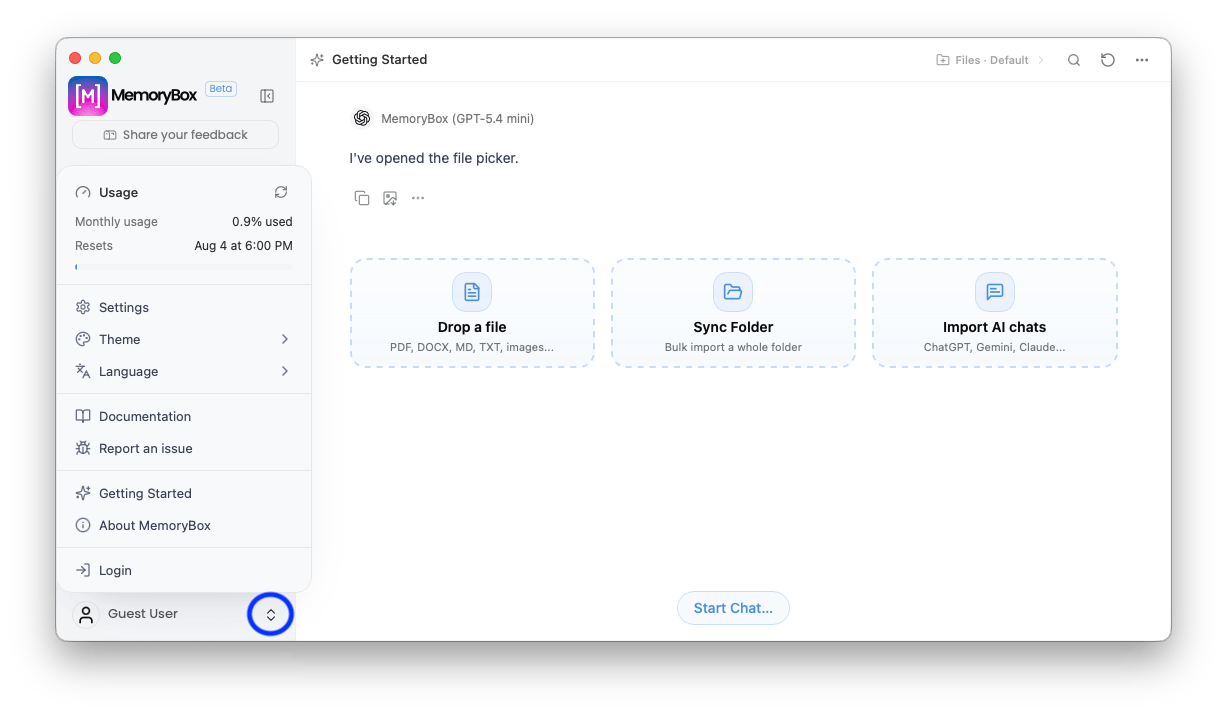
The system personalization and quick-access utility drawer opened via the user profile card.
Preference Panel Elements
🚀 Getting Started on New Chat
Selecting Getting Started from the user profile menu opens a fresh new-chat screen and reveals the local setup guide. This UI does not create a dedicated agent or chat session. It provides three actions for adding context:- Drop a file: A localized zone supporting direct drag-and-drop actions for files including PDF, DOCX, MD, TXT, and images.
- Sync Folder: A file-system explorer portal to select an entire directory folder for automated bulk ingestion.
- Import AI chats: A specialized historical utility designed to map data archives downloaded from web-based providers (like ChatGPT, Gemini, or Claude).
⚙️ App Settings Architecture
Clicking the Settings selection within the panel exposes a centralized configuration suite. This layout separates parameters into four discrete, easy-to-use tabs:General (Default)
Manage your profile identity, launch states, application behaviors, and custom global keyboard shortcut rules.
Memories
Monitor folders and manage sync capabilities for your local memory store.
Models
Manage platform gateways and configure active models.
Advanced
View experimental features, set chat model response timeouts, and configure backend runtime settings.
ℹ️ Version Integrity
Selecting About MemoryBox from the profile menu launches an explicit identity card displaying current desktop platform builds.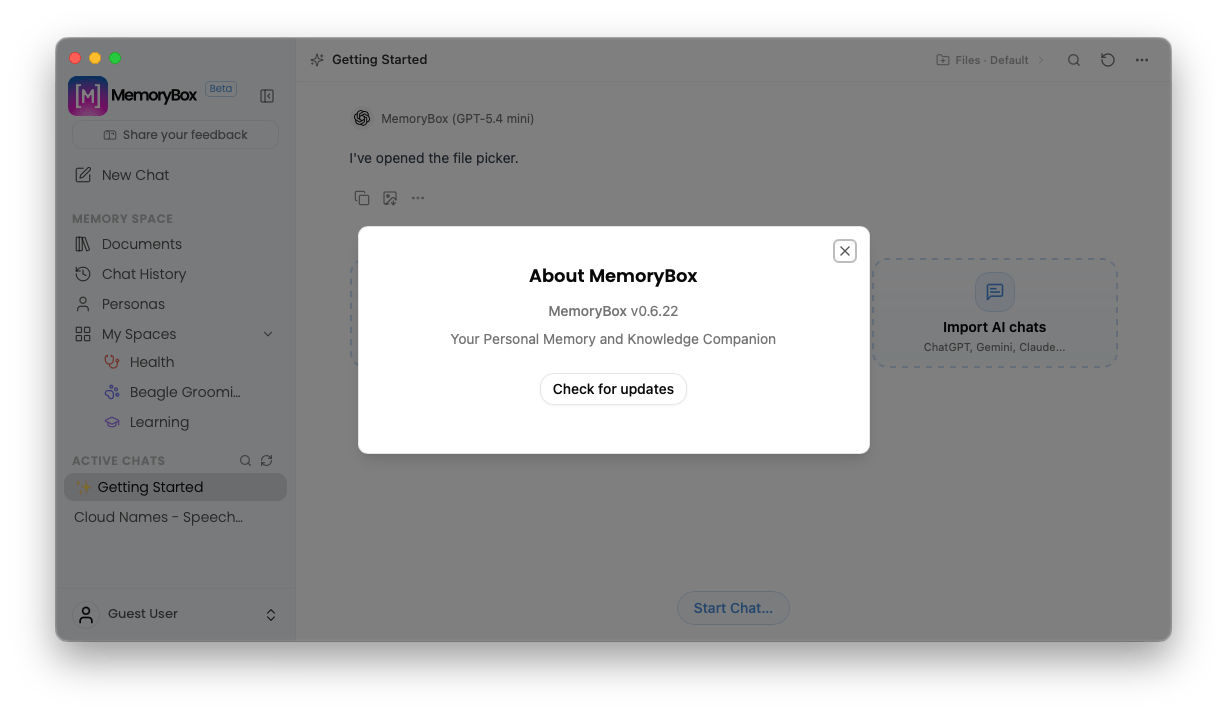
The system diagnostic modal tracking current desktop application version metrics.
v0.7.6). It features a Check for updates tool that allows you to manually ping distribution networks to verify that your system is running the latest stable build. If your client is already up to date, a green confirmation popup will verify that you are on the latest version.
The Global Shortcut: One of the most powerful features found within your General settings is the ability to record a custom global shortcut (defaulting to
Control + Alt + Shift + M). This configuration binds a system-wide hotkey sequence, ensuring MemoryBox is always one keystroke away regardless of what application you are currently running.