
Storage & Synchronization
The Memories settings dashboard handles how information is localized, monitored, and synchronized across different external targets and hardware environments. Within this tab, you can manage the local directories the application watches for file modifications and establish cross-device cloud bridging configurations.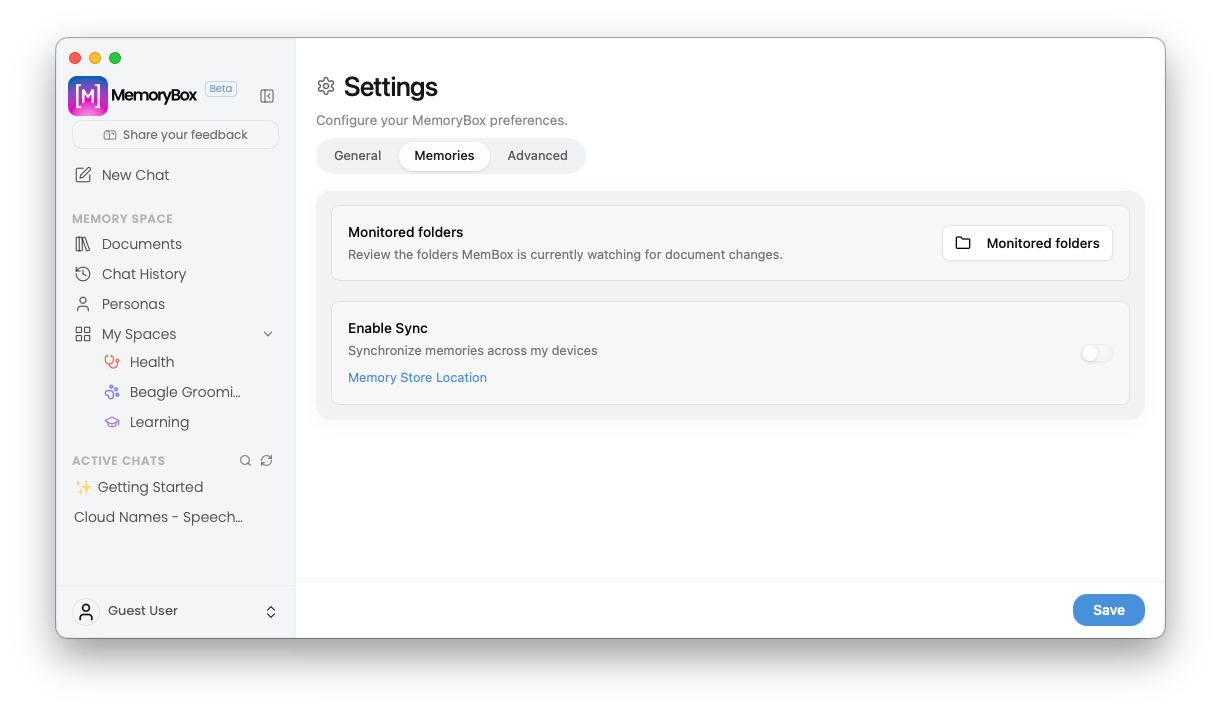
The default view of the Memories Settings pane tracking local directories and sync status.
📁 Continuous File Monitoring
At the top of the pane sits the localized document ingestion management hub:- Monitored folders Action Button: Click the Monitored folders button to launch a system directory manager modal. Here, you can review, add, or delete specific folder paths that MemoryBox continuously watches in the background for new file drop events or document modifications.
🔄 Memory Synchronization
The Enable Sync section bridges your locally indexed intelligence across multiple active client systems or secondary user profiles.- Memory Store Location Link: Clicking this text link opens your operating system’s native file explorer (Finder or File Explorer) directly to the root local directory where your primary SQLite database asset files reside.
Conditional Menu Expansion
By default, sync configurations are collapsed to maintain a clean interface footprint. Activating the Enable Sync toggle switch dynamically expands the card frame downward to expose your advanced cloud pipeline preference matrices: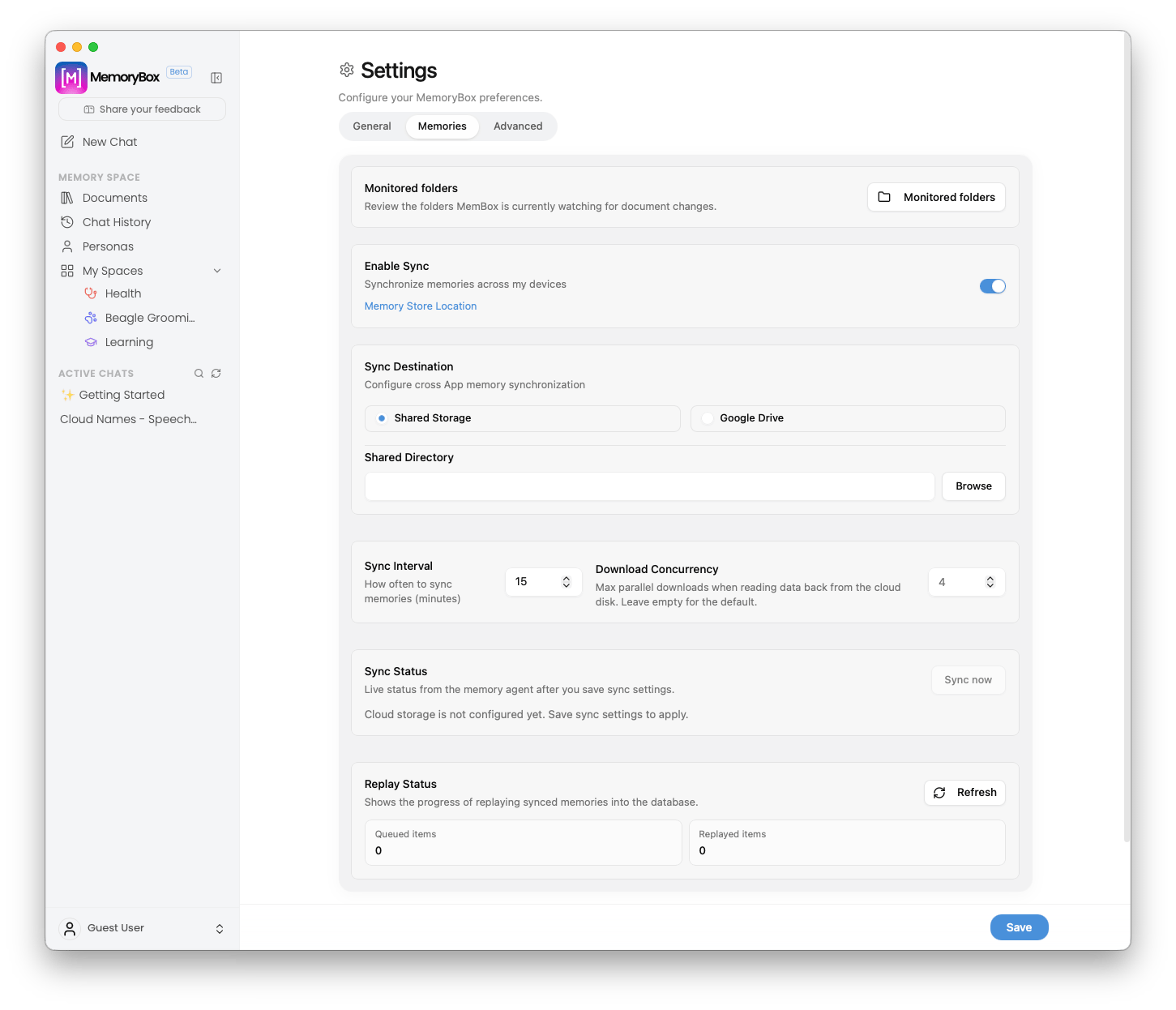
The expanded Memories configuration menu revealed by enabling device synchronization.